Inventory
Introduction
Unlike Device identity attributes, Device inventory attributes do not need to be unique. They simply provide information about the target device.
The Mender Client will periodically collect inventory-related data for reporting to the Mender Server. Executable files, stored in a known location, will be invoked by the Mender Client, producing the inventory data as a set of key-value pairs.
When you log in to mender server UI and navigate to the device list, among other items, you can see certain pieces of data associated with each device. Those can be a hostname, IP address, or any key-value pair you can think of. For further details, please refer to the client installation section.
Usage
The Mender Server stores information about each device in the form of key-value pairs called attributes grouped in scopes. The inventory attributes belong to inventory scope which also denotes the ownership of data; the device "owns" the inventory data in a sense that it can overwrite the attributes in the scope at will.
Some considerations while working with inventory attributes:
- Inventory attributes are not unique identifiers of a device.
- Inventory attributes are pieces of data associated with a device that the client sends to the server for use in API calls or for sorting, filtering and searching in the UI.
- The client sends the attributes at regular intervals (configurable with InventoryPollIntervalSeconds).
- The server updates all attributes sent by the client.
The following screenshot shows an example set of inventory data in the expanded view of a device.
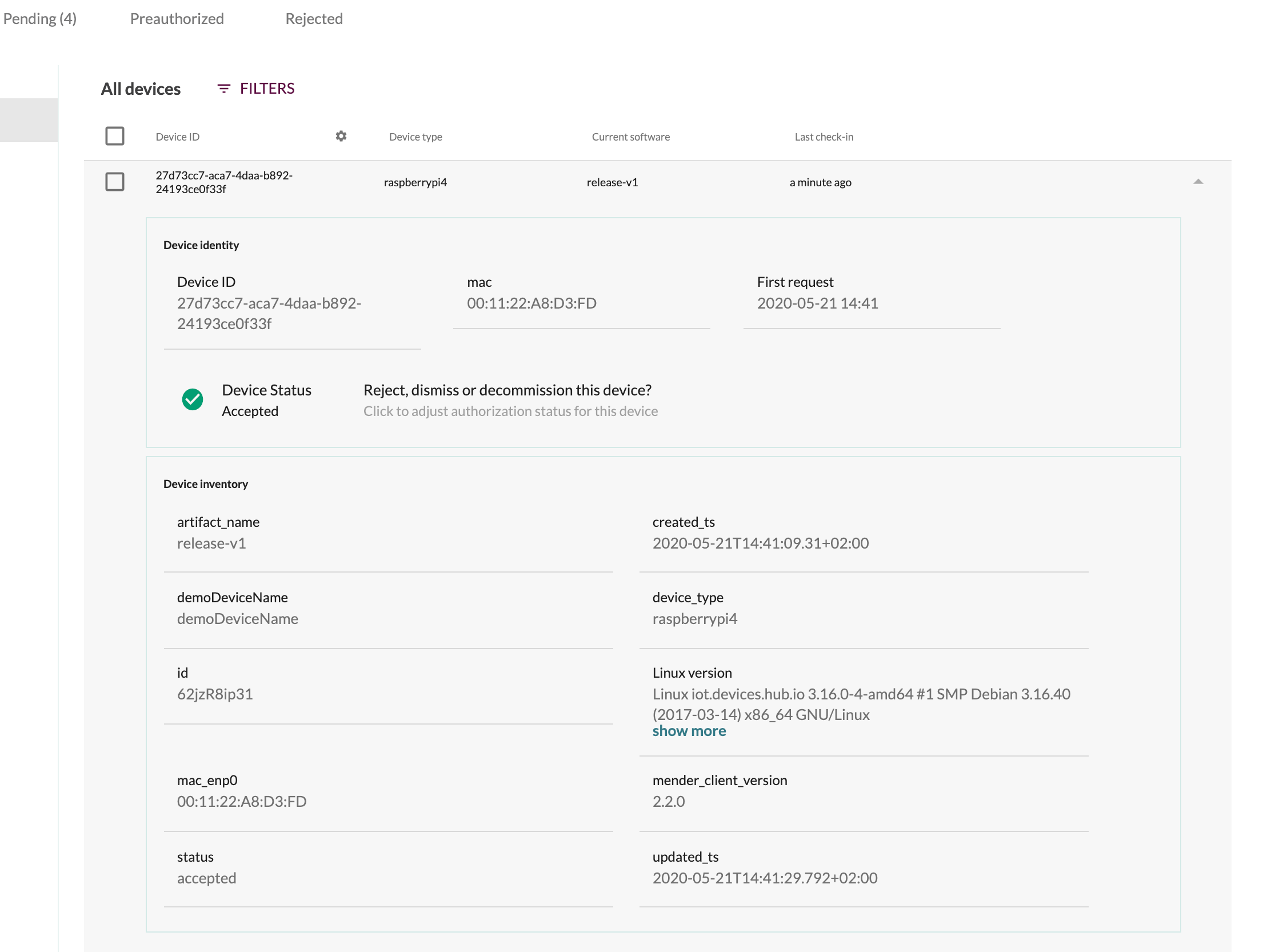
Inventory attribute use cases
The inventory attributes mechanism allows you to publish to the Mender Server every piece of data that is important for your usage and that can be expressed as key-value pairs. Later you can use these attributes to create filters, dynamic groups, and to search for devices.
Examples use cases:
- Information related to the installation of the device
- Site information
- Location information
- Project information
- Customer information
- IP address
- useful if you have VPN connections enabled, this could be a way to look up local IP address on the VPN network
Customizing Inventory
Adding more inventory fields, such as the kernel version or total available memory, is easy to do and Mender supports it well. Then you can use the inventory fields to create Dynamic groups (see the screenshot below).
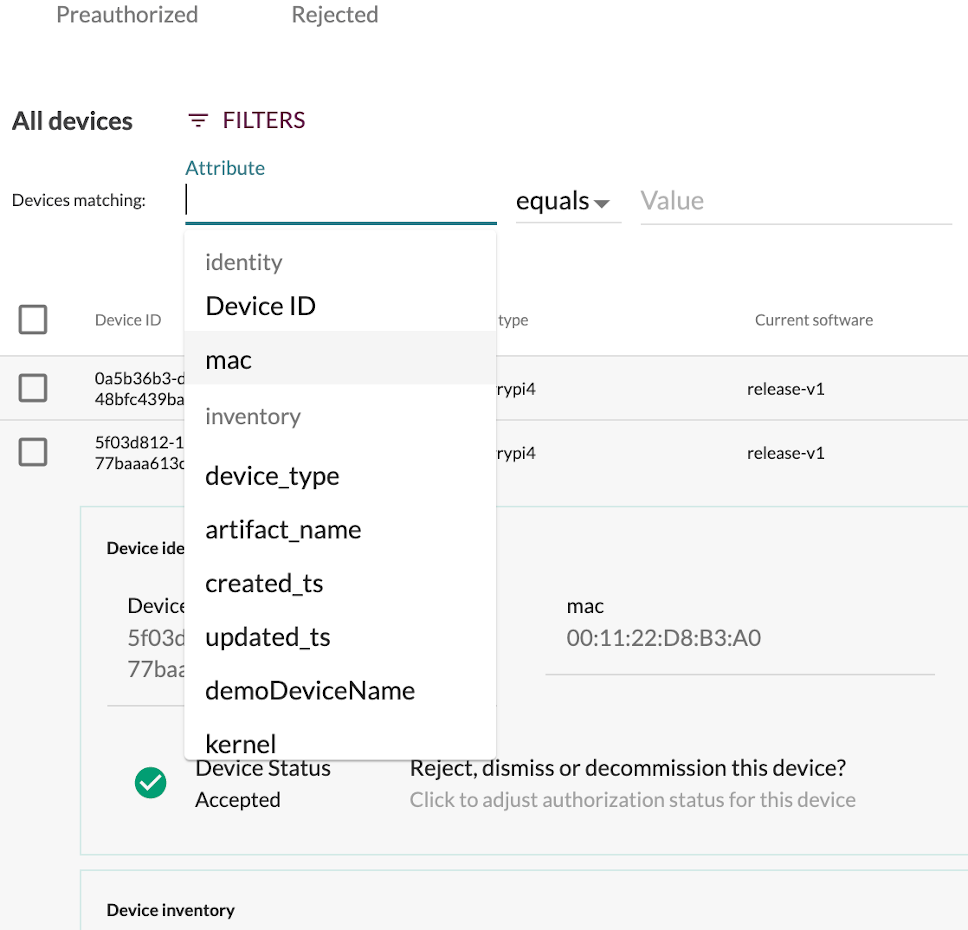
For more information on customizing the Inventory attributes, please refer to the client configuration section.
Device tags
In addition to the inventory reported by the device itself, devices can also be tagged from the Mender UI / API. Just like device inventory, tags are key-value pairs. Tags can be found at the bottom of the Identity tab after clicking on a device:
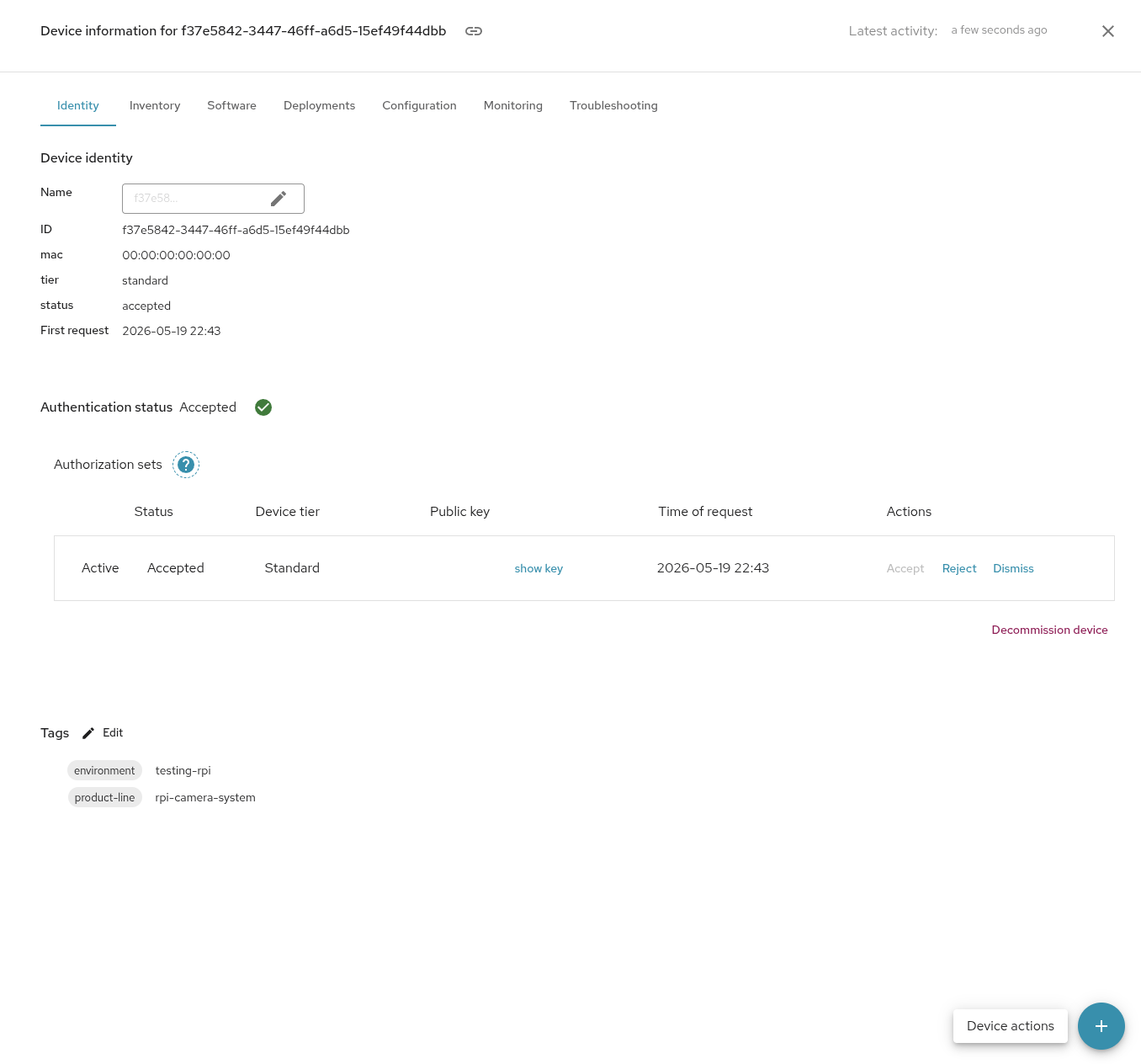
Once tags are created, they can be used for filtering and grouping, just like other inventory.
Note: Names (keys) for tags and inventory are shared across the organization, they will show up for everyone, in the filter dropdowns / autocomplete options. For this reason, it is a good idea to strive to use the same naming schemes across the organization, avoid making multiple similar names and never putting anything sensitive into the names of tags / inventory.
Test devices
test_device is a reserved system attribute (an attribute in the system
scope, managed by the Mender Server rather than reported by the device) used to
designate a device as a test device. Test devices are exempt from the normal
update check and inventory poll rate limiting, and are allowed to poll for updates
and publish inventory frequently. This is useful when trying out Mender features
(for example during a free trial) or when testing new code as part of a CI/CD
system.
The attribute defaults to false, except in free trial tenants
where it defaults to true. When upgrading from a free trial to a paid plan, all
devices carried over from the trial remain test devices unless you explicitly
remove the designation.
You designate a device as a test device from the Quick actions menu in the
device list. Because test_device is stored as a device attribute, you can filter on it
just like any other attribute: filter for test_device = true to find all test
devices in your tenant, or use the not equals operator to filter for all
devices that are not test devices. The device list also shows an indication (a
dedicated label) on devices that are test devices.
The number of test devices per tenant is limited, and changes are rate limited per day. See Limits for the exact values.
Limitations
Each device can upload up to 100 inventory attributes in a single inventory update.
When indexing, the Mender Server considers up to 100 different inventory attributes' names uploaded by the devices. It will ignore all the additional inventory attributes' names. You can see the current usage and the list of filterable attributes in the Global settings.
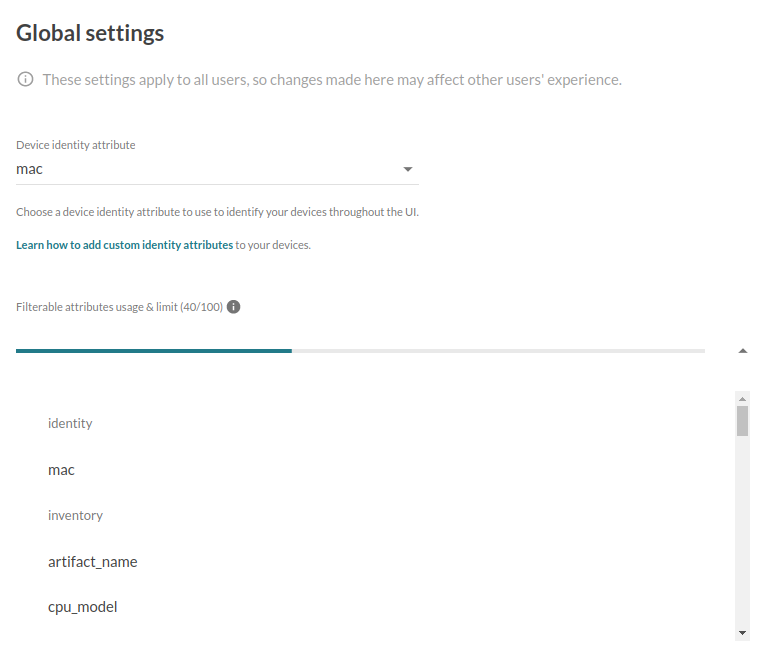
If you reached the limit of filterable attributes, as you can see below:

but your use case requires a different set of attributes, please email contact@mender.io.
Currently, there is one "reserved" attribute in the identity scope: status.
It stores the status (accepted, rejected, etc.) of a device and changes whether
the device status changes. Therefore, you cannot modify it directly.
Inventory in the context of a System
When orchestrating updates across a System (see Orchestrate updates) it is important to distinguish between two distinct layers of inventory. First is the System device inventory, which is what is described above. Second is Component inventory which is the inventory of a specific Component. Component inventories provide granular details about Components such as firmware versions or hardware revisions.
Component inventory attributes are considered part of the System device inventory, and have the same format and constraints (see Inventory query, and Inventory).
All Component inventories are provided by the Components themselves using Inventory call in corresponding Interface, described in Interface Protocol and are not stored by the System device. The Component inventories are reported to the Mender Server by the System device as part of its inventory.